Import audio
Start with a file, recording, or supported link. GigaChords focuses on the audio you bring, not a giant tab catalog.
GigaChords listens to your audio, maps the chord changes, and gives you a practice timeline you can transpose, loop, edit, save, and follow in real time.
The workflow
Most chord apps start with a catalog. GigaChords starts with your audio, then turns it into a readable practice map.
Start with a file, recording, or supported link. GigaChords focuses on the audio you bring, not a giant tab catalog.
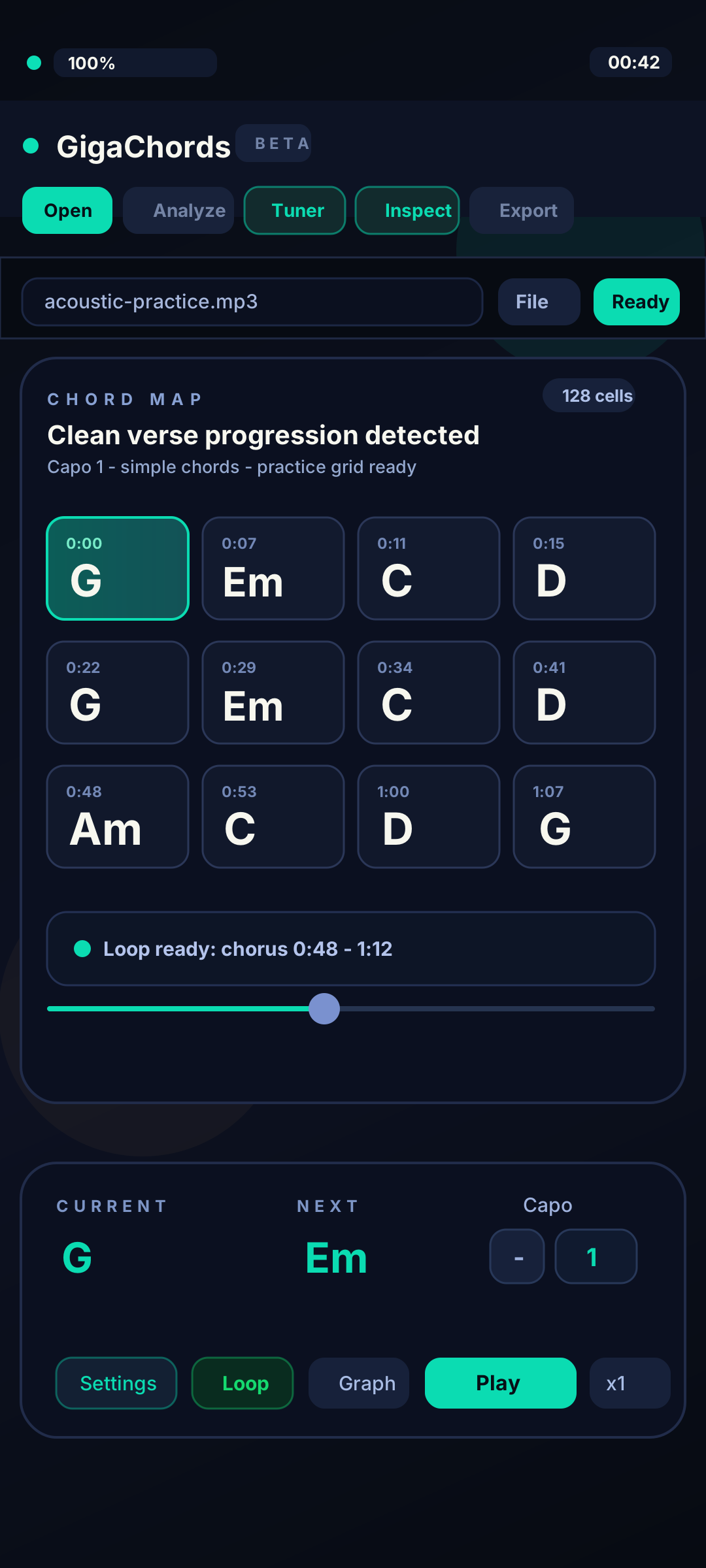
The app builds a chord timeline with current and upcoming chords, beat-aware cells, and readable section flow.
Transpose, set capo, loop difficult parts, save charts, and keep improving the map when your ear knows better.
Why it feels different
Follow the current chord, see what is coming next, slow down, loop a section, and keep playing. GigaChords is built around the moment between hearing a change and getting your fingers there.
Keep the important chord in front of you while the next change is already visible.
Repeat the verse, chorus, or rough transition until your hands remember it.
The automatic map is a starting point, so you can correct cells and keep practicing.
Feature set
Analyze songs and recordings into a playable chord map with clear boundaries and a moving playhead.
Keep the chord you need in view while upcoming rows stay ready before the change arrives.
Move the chart for your voice, guitar shape, or rehearsal key without rewriting the song.
Repeat the verse turn, chorus lift, or bridge until your hands remember it.
Use quick-play chord names when you need speed, or keep richer harmony when the song needs detail.
Build a practice library of chord maps and reopen saved charts without waiting on a fresh analysis.
Built for trust
Dense mixes, unusual harmony, and fast passing chords can fool any chord detector. GigaChords is designed around real-song QA, editable charts, and clear product limits.
Changes are tested against curated songs so accuracy can improve without breaking known practice maps.
Private files and recordings should stay on your device where the platform supports local analysis.
The app treats automatic detection as a strong starting point, not an untouchable verdict.
Who it is for
Find the progression, set the capo, loop the rough chord change, and keep playing.
Open pageMove a song into your range without rewriting the entire chart by hand.
Open pageTurn student song requests into a starting chart for lesson prep.
Open pageUse files and recordings when a public tab is not available or not right.
Open pagePricing
The first pricing model keeps the free tier useful enough to prove the result, then unlocks serious practice, editing, export, and library workflows for regular users.
Start here
For trying the workflow and checking whether GigaChords fits your practice.
per month
For regular practice, rehearsals, lessons, and serious song learning.
intro year
Best value for musicians who want GigaChords in their normal practice routine.
per year
A future plan for lesson prep and studio workflows once export templates mature.
FAQ
Automatic chord detection is difficult, especially with dense mixes, unusual harmony, fast passing chords, or noisy recordings. GigaChords is built around usable timelines, real-song QA, editable charts, and honest improvement instead of pretending every result is final.
The product direction is local-first where supported by the platform. Some future features may need network access, but private files and recordings should not need to become public uploads.
The current app direction starts with common files such as MP3 and WAV. The website only promises formats once they are verified in the app builds.
GigaChords supports link-based workflows where platform rules, source availability, and user rights allow it. The site avoids promising a copyrighted song download service.
Join the beta list and help shape the first public GigaChords builds.